
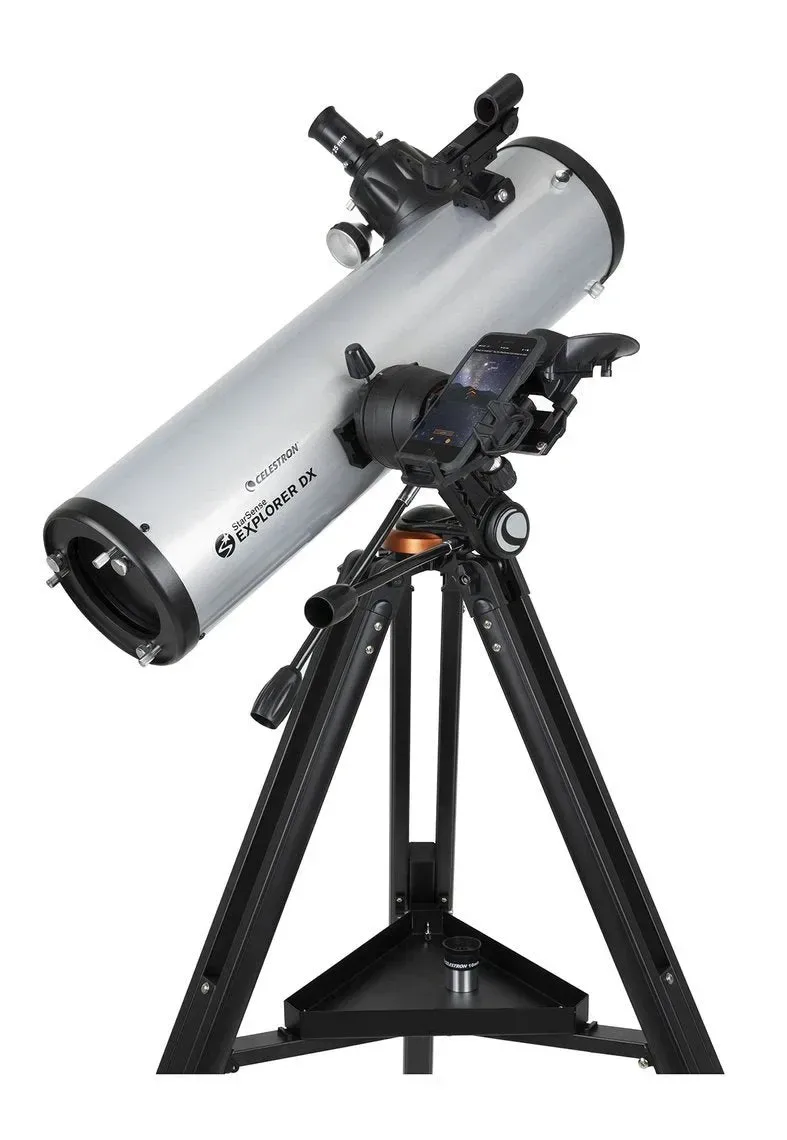
- Key Facts
- Rating8/10
- Why this pickThe smaller LT 80AZ and LT 114AZ models make the app-guided idea more affordable, but 130mm of aperture is where nebulae and galaxies start showing real structure instead of faint smudges, StarSense's phone-guided pointing matters most exactly when there's more to find in a bigger sky.
Pros
- App-guided pointing works well on night one, no star-hopping experience needed
- 130mm aperture is large enough to reveal real deep-sky detail
- No hand controller or GoTo motor to fail, it's a manual mount, just phone-guided
Cons
- Requires a compatible smartphone and the StarSense app to get the core benefit
- Costs roughly $150–200 more than an equivalent AstroMaster without the phone dock
- Manual altazimuth mount, no automatic tracking once you've found an object
Most GoTo telescopes point themselves with a motor. StarSense Explorer does the opposite: it keeps your telescope entirely manual and instead turns your own phone into the guide. Celestron's patented sky-recognition technology uses the smartphone's camera, docked on the telescope, to photograph the night sky and calculate the scope's exact position in real time. No motors, no separate hand controller, just your phone and the optics.
How StarSense Explorer Works
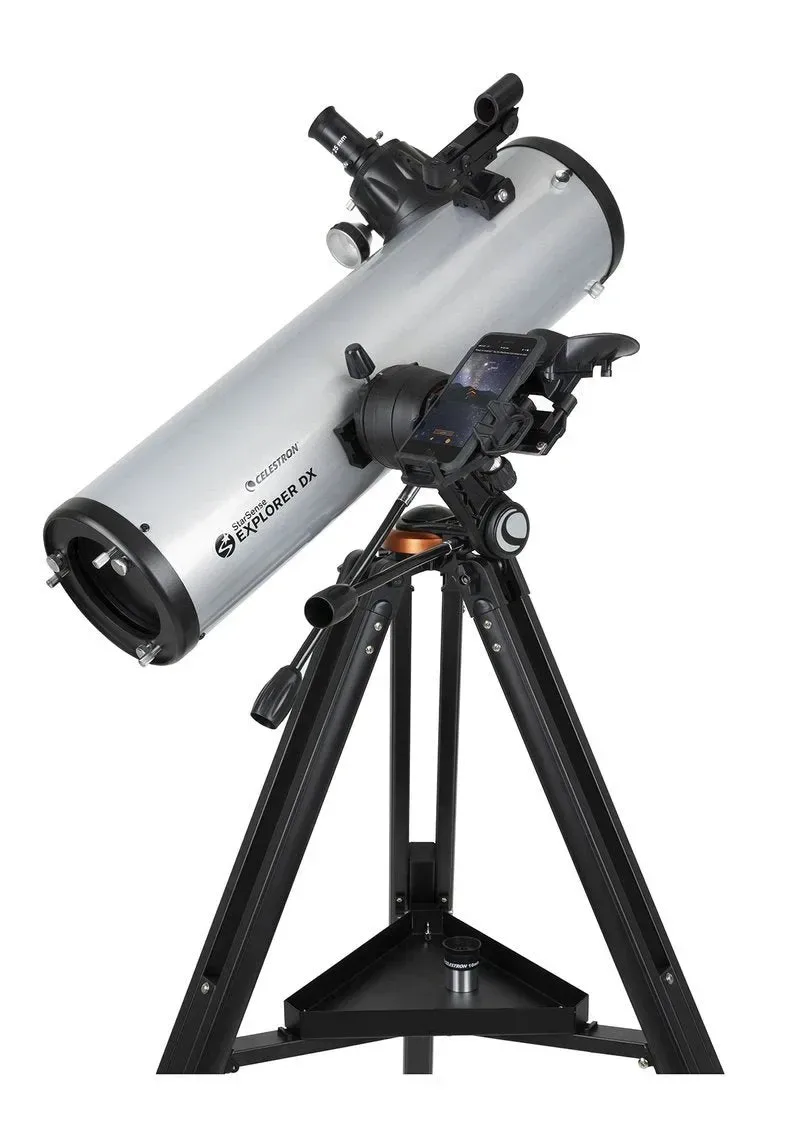
Setup starts with a one-time alignment of the phone to the telescope's optics, which Celestron describes as roughly a 2-minute process, done at the start of each session. Once aligned, the app builds a list of objects currently visible from your location. Pick one, and on-screen arrows tell you which way to swing the tube by hand. When the reticle turns green, the target is centered.
The phone never leaves its dock during observation, and it's not what you look through, it's strictly a navigation aid. The actual view still comes through a standard eyepiece. That distinction matters: StarSense Explorer isn't a smart telescope with a screen you watch, it's a manual telescope with a very good compass.
App compatibility is worth checking before you buy. Celestron currently lists support for Android 12 and later, and iOS 18 and later, including the iPhone XR and newer. Older phones can sometimes keep running an already-installed copy of the app, but can't reinstall it if it's removed, a real limitation for anyone planning to hand the telescope down or buy used.
The Lineup: More Models Than the Name Suggests
The StarSense Explorer range isn't limited to a single telescope. As listed directly on celestron.com, it currently spans four refractors, the LT 70AZ, LT 80AZ, LT 114AZ and LT 127AZ, plus the Newtonian reflector DX 130AZ, and a separate 114mm tabletop Dobsonian that also carries StarSense guidance.
| Model | Optical Design | Aperture | Focal Length / Ratio | Best For |
|---|---|---|---|---|
| LT 70AZ | Refractor | 70mm | Not published by Celestron | Moon and planets, tightest budget |
| LT 80AZ | Refractor | 80mm | 900mm, f/11 | Moon and planets, the most common starting point |
| LT 114AZ | Refractor | 114mm | Not published by Celestron | Brighter deep-sky targets alongside the Moon/planets |
| LT 127AZ | Refractor | 127mm | Data not found in available sources | Largest aperture in the LT refractor line |
| DX 130AZ | Newtonian reflector | 130mm | Data not found in available sources | More light-gathering than the LT refractors, same dock-and-app system |
| 114mm Tabletop Dobsonian | Dobsonian reflector | 114mm | Data not found in available sources | Widest, simplest deep-sky views in the range |
The LT 80AZ is the one most beginners land on, and it's the only model with a full public spec sheet at the time of writing: 80mm aperture, 900mm focal length, f/11, a manual alt-azimuth mount with slow-motion altitude adjustment, and a highest useful magnification of 189x. The box includes 25mm and 10mm eyepieces, a 2x Barlow, an erect-image diagonal, a StarPointer red-dot finder, the StarSense dock itself, and an aluminum tripod adjustable up to 52". Total kit weight is 9.2 lbs. Celestron lists it at $249.95, though it showed as out of stock directly on Celestron's own site at the time of this research, worth double-checking current availability at OPT before publishing a firm price.
StarSense Explorer vs. NexStar: Two Different Ways to Find Things
Celestron sells both a phone-guided line and a motorized GoTo line under the same brand, and it's easy to mix them up. StarSense Explorer and the NexStar series (covered in our NexStar 4SE, 5SE and 130SLT comparison) solve the same problem, finding faint objects without knowing the sky by heart, in opposite ways.
| Criterion | StarSense Explorer | NexStar |
|---|---|---|
| Motor | None, you move the tube by hand | Motorized alt-azimuth mount |
| Alignment | One-time ~2-minute phone-to-scope alignment | SkyAlign, 1-star, 2-star, or auto 2-star |
| What guides you | On-screen arrows on your own phone | A hand controller drives the mount |
| Requires a phone | Yes, a compatible one | No, a hand controller is included |
| Entry price (US) | From $249.95 for the LT 80AZ | $749 for the 4SE |
If you'd rather the telescope do the pointing for you and don't mind the higher price and the extra hardware, the motorized NexStar 4SE is the more direct alternative, our full NexStar comparison breaks down where each model in that line fits.
Is It Worth the Extra Cost Over a Plain Manual Telescope?
A plain manual refractor without StarSense costs less, but you're on your own for finding anything beyond the Moon. StarSense Explorer's real value is in the first few months of ownership, when star-hopping by memory is still hard. For a first telescope bought for a curious kid or an adult who wants results on night one rather than after weeks of practice, the app-guided models are a reasonable premium to pay. For someone who already enjoys the process of learning constellations and star-hopping manually, a comparable telescope without StarSense, and without the smartphone dependency, will do the same optical job for less.